Pacific Northwest MeshCore

Understanding Regions

Regions are how the PNW mesh network keeps local conversations local — even as the network grows to hundreds of repeaters.

Just want to configure your repeater? Skip the background — the Config Generator gives you ready-to-paste commands for your location.
Config Generator

The Problem: Everyone Hears Everything

Imagine every walkie-talkie conversation in the Pacific Northwest playing on your radio at once. Without regions, that's exactly what happens — every message floods every repeater in the entire mesh.

Without Regions

Every message reaches every repeater — chaos SEA OLY GEG PDX BOI EUG
A Seattle message floods to Boise, Eugene, and everywhere else.

With Regions

Messages only reach relevant repeaters SEA OLY GEG PDX BOI EUG scope: sea
A message scoped to sea stays in the Seattle area.

What Are Regions?

Regions are geographic labels that tell repeaters which messages to forward. Think of them like neighborhoods — your repeater knows which neighborhoods it belongs to.

west Entire Mesh pnw Pacific NW wa Washington w-wa Western WA sea Seattle
Think of it like a mailing address: USA → Washington → King County → Seattle. Each level narrows the scope. When you send a message, you pick how wide it should go.

Using Regions in the App

Two steps: discover which regions are active around you, then scope a channel so your messages stay where they belong.

1

Discover Nearby Regions

App top-right controls showing antenna, settings, and menu icons
Tap (top-right) to open the menu

From the main screen, tap the menu (top-right), then choose Tools↳ Discover Regions. The companion scans the mesh and lists every region tag carried by repeaters it can hear.

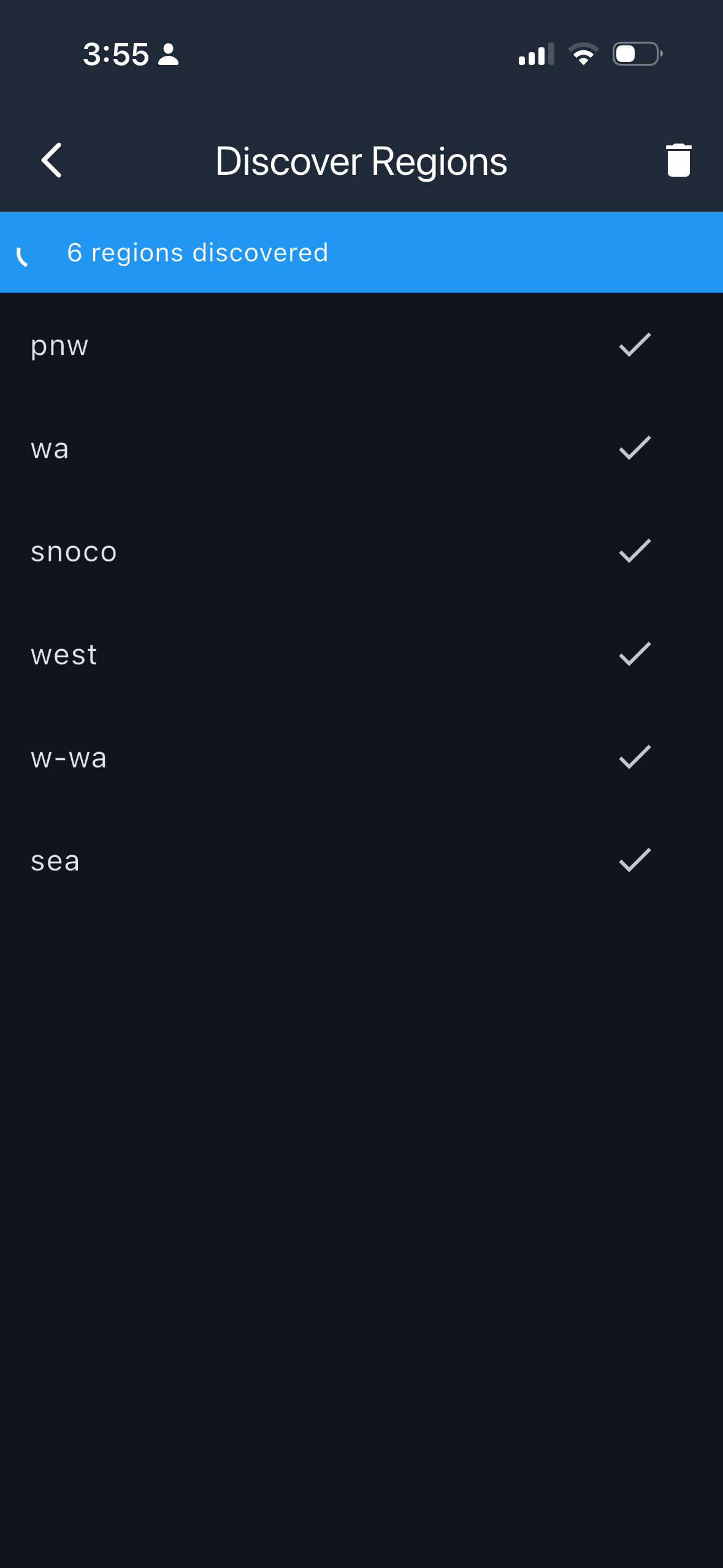
The example here shows a Snohomish County node that responded with the full branch of its hierarchy: westpnwwaw-wasea. The repeater also carries the snoco tag because it is in the Snohomish County part of the Seattle metro area.

Use this list to confirm which tags are actually live near you before setting a channel scope.
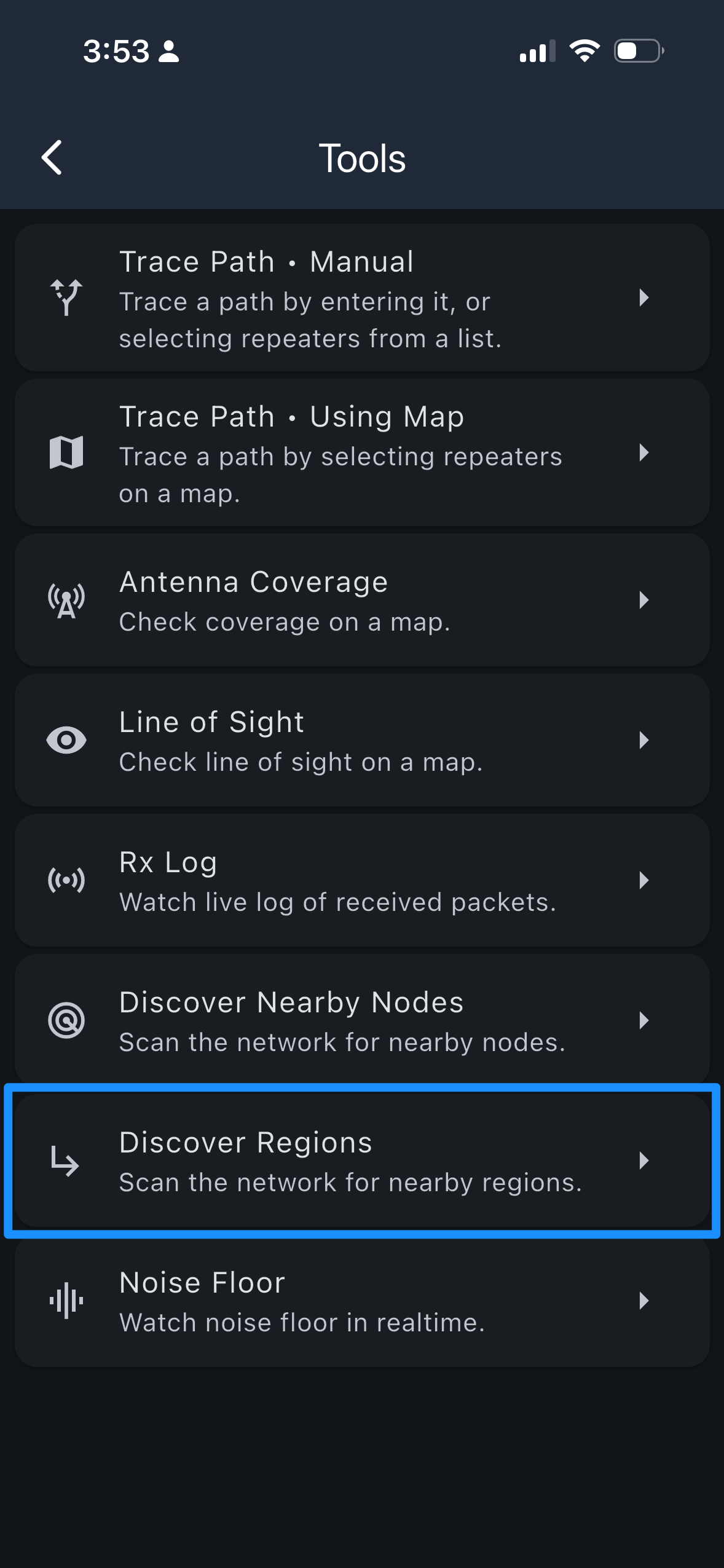
Tools menu with Discover Regions highlighted
Tools → Discover Regions
Discover Regions results: 6 regions found — pnw, wa, snoco, west, w-wa, sea
6 regions discovered
2

Set a Channel's Region Scope

Open the channel you want to scope, tap its menu, and choose Set Region Scope . Type in the region tag — for a Public channel, your metro (sea, pdx) or sub-region (w-wa, or) is the right starting point.

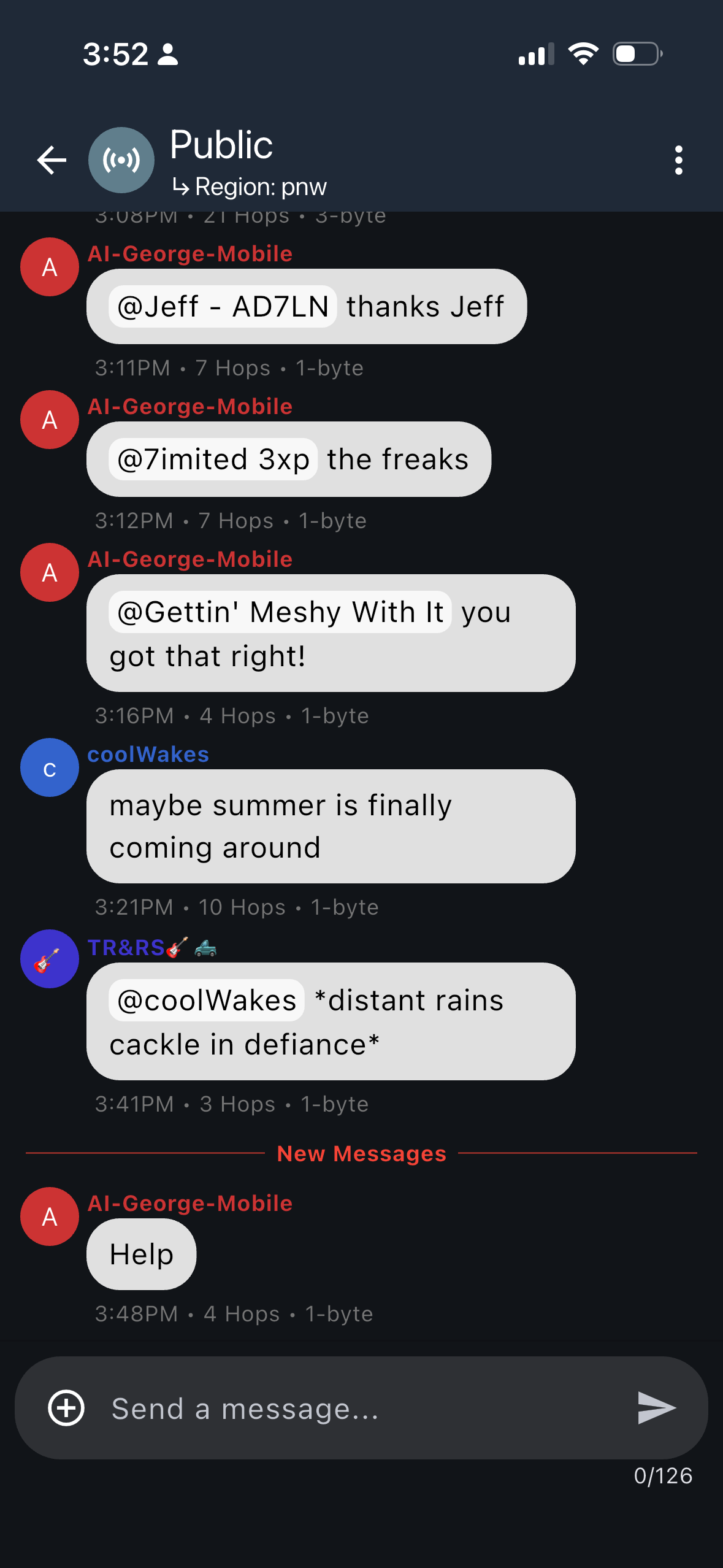
Once set, the region appears as a subtitle under the channel name (Region: pnw). From that point on, messages sent on the channel are only forwarded by repeaters that carry that tag — keeping traffic local and preserving bandwidth in areas that don't need it.

You can change or remove the scope at any time through the same menu.
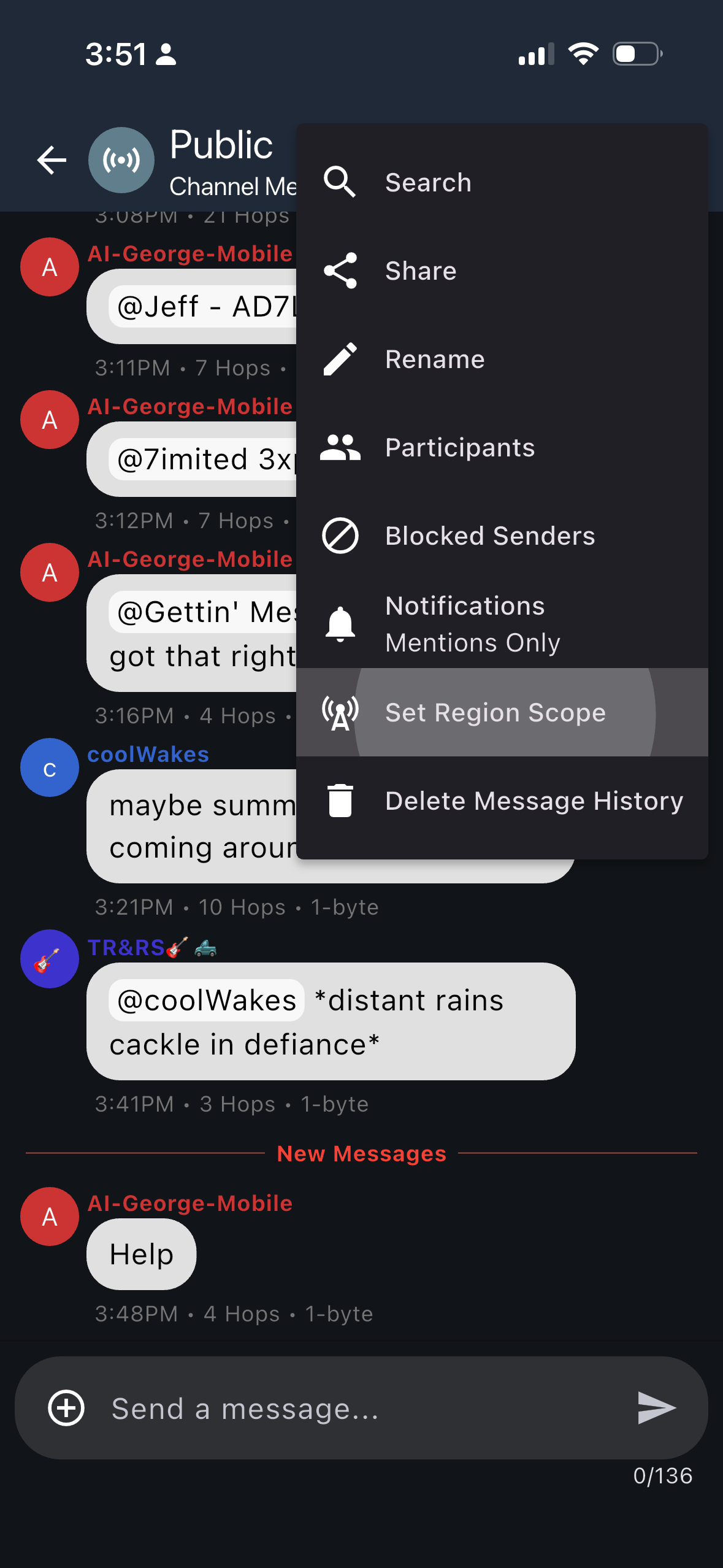
Channel ⋮ menu with Set Region Scope option
⋮ → Set Region Scope
Channel header now showing Region: pnw
Channel scoped to pnw
Choosing the right scope: Start with your metro tag (sea, pdx) or sub-region tag (w-wa, or) for a Public channel — that covers your area without flooding the wider mesh. Step up to pnw or west only for messages that genuinely need to reach the whole network — broadcasts, emergencies, or cross-region coordination.

How Regions Work

Our region set has been designed to be hierarchical — from the entire mesh down to your local metro. Each repeater carries every level in its branch, and users can choose how wide to broadcast.

west pnw wa Washington or Oregon bc B.C. w-wa e-wa pdx wv swbc vanisle sea Seattle oly Olympia bli Bellingham geg Spokane sle Salem eug Eugene southisland Victoria

Click a scope above to see which repeaters forward that message.

Seeing It in Action

The I-5 corridor stretches from Eugene, Oregon to Victoria, British Columbia. Send a message with one of the scopes above and see how far it reaches.

Eugene eug, wv, or Salem sle, wv, or Portland pdx, or Kelso kls, sw-wa, wa Seattle sea, w-wa, wa Skagit Valley bvs, w-wa, wa Bellingham bli, w-wa, wa Vancouver BC swbc, bc Victoria southisland, bc OR / WA border US / Canada border

Select a scope above to see which repeaters forward that message.

Why This Matters

Regions aren't just organization for its own sake — they solve real problems as the mesh grows.

Local Stays Local

Your Seattle chat doesn't bother Portland. Conversations stay in the communities where they belong.

Bandwidth Preserved

The radio spectrum is finite. Regions prevent messages from consuming bandwidth in areas that don't need them.

Scales with Growth

As the PNW mesh grows from hundreds to thousands of repeaters, regions prevent the network from drowning in its own traffic.

Reach When You Need It

You can still reach everyone — just scope wider. Send to pnw and the whole Pacific Northwest hears you.

Real Geography, Not Just State Lines

Regions handle real communities that cross political boundaries. Repeaters can carry tags from multiple branches of the hierarchy.

Portland Metro

Portland metro crosses the Oregon/Washington border via the Columbia River Washington Oregon Columbia R. KLS pdx wa sw-wa PDX pdx or pdx
A pdx-scoped message reaches both sides of the river. wa-scoped traffic only reaches Clark County.

Inland Empire

Inland Empire community spans Washington and Idaho Washington Idaho GEG Spokane wa e-wa ie CDA Coeur d'Alene id cda ie ie Inland Empire
An ie-scoped message reaches both Spokane and Coeur d'Alene. wa-scoped traffic stays in Washington.

Get Started

Ready to configure regions on your repeater? These tools make it easy.